Photo: Google Gemini · AI-generated
New to this topic? Start here
Terms used in this piece
- System of record
- The system that holds the official version of a piece of data, such as the ERP for orders and prices. Other systems read from it; they do not overrule it.
- Middleware
- Software that sits between two systems and moves data between them, so neither has to know the other's details.
- Interface
- The agreed way two systems exchange data: which fields, in which format, and what each side promises. On a multi-vendor project it is also an agreement between teams.
- Scope boundary
- The written line between what a vendor builds and owns, what it only uses, and what it never touches.
- Go-live
- The moment the new software is switched on for real users. Most of a system's life comes after it.
Read first
- System of record ↗A short definition of the idea this piece keeps coming back to: the one system whose data counts.
- What "Full Lifecycle" Actually Means When We Say ItThe handovers between design, build and operation, which this piece applies to a single module.
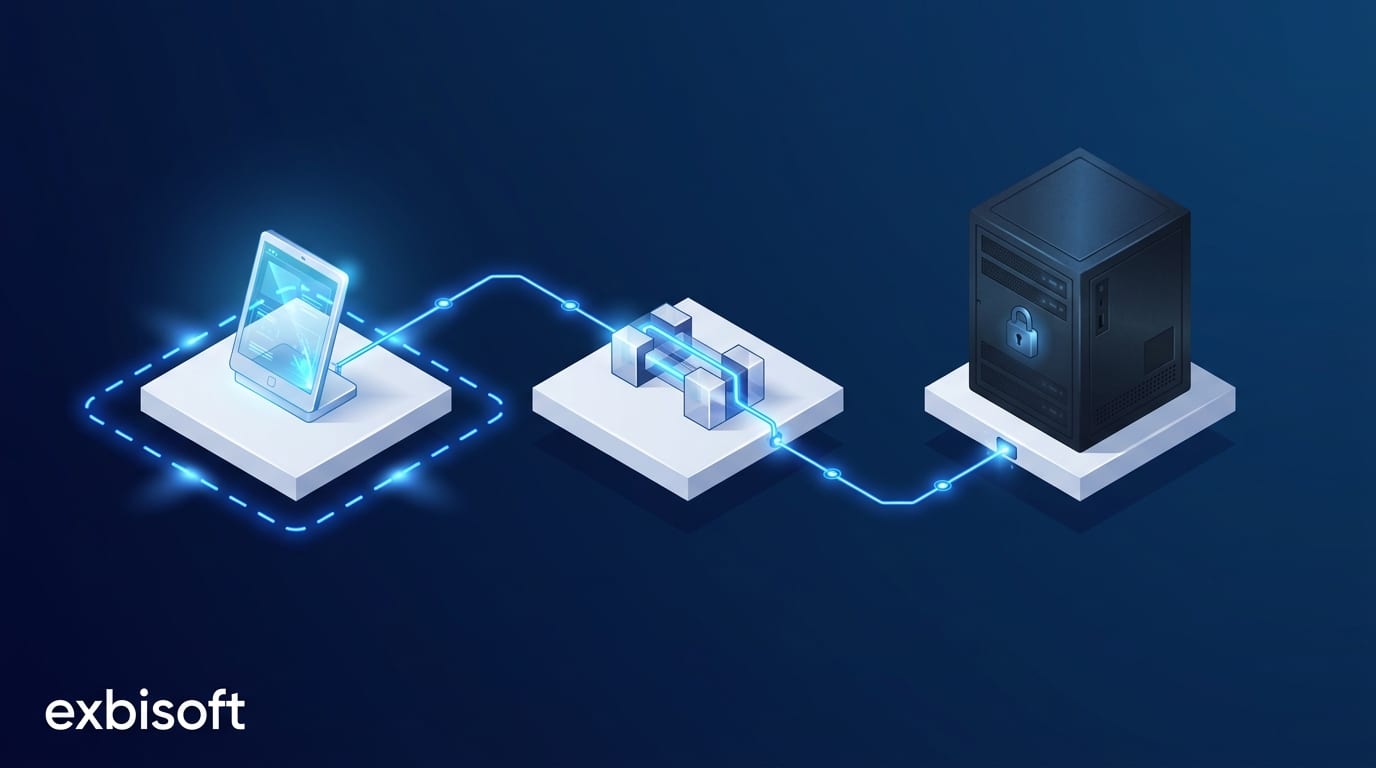
On a large enterprise rollout, nobody builds the whole thing. The client’s own team owns the system of record. Another vendor owns the middleware. A third team owns the application the users actually touch. Each of them is good at their part.
The project does not fail because one of them cannot build their part. It fails at the edges, where one team’s assumption becomes another team’s rework. So the real question for a specialist vendor is not “can you build the module”. It is “can you deliver it without creating work for the other two teams”.
We have delivered in that position more than once. Here is what it takes.
The boundary is part of the deliverable
For a jewelry manufacturer’s in-store kiosk app, the setup was exactly the one above. An in-house SAP team managed the backend data. An existing middleware vendor handled synchronisation. Our scope was the native iPad application, rolled out to more than 500 kiosks across Europe.
That scope was written down before the first line of code, and the clarity was an asset. Everyone knew what we owned, what we consumed, and what we would never touch. The SAP environment was in the last category from day one.
A vague boundary is the most common source of scope conflict we see. Not bad intent, just three teams each assuming a grey area belongs to someone else. Write the boundary down. Then treat it as a deliverable that all three teams have signed, not as a line in a proposal.
Interfaces are contracts between teams, not just between systems
An interface is usually described as a technical thing: fields, formats, endpoints. On a multi-vendor project it is also a social thing. It is the agreement that says what the middleware vendor promises to deliver and what we promise to consume.
So we worked directly with the middleware vendor, not through the client as a relay. The integration was documented on both sides, tested against agreed data, and reliable enough for a 500-device rollout. When the contract is written down, the question “whose bug is this” has an answer in minutes rather than in a meeting.
Do not touch the system of record
The temptation on every enterprise project is to fix something upstream. The data would be cleaner if SAP did this. The sync would be faster if the middleware did that. Sometimes it is even true.
Resist it unless the client asks. The system of record is where change is slowest, riskiest and most expensive, and it belongs to a team with its own roadmap. The kiosk app connected to the existing middleware without a single change to the backend. For a manufacturer’s visitor compliance app, we built a middleware layer of our own so the new iPad workflow could integrate with the visitor management system already in place, rather than replacing it.
Adapting on your side of the line costs you effort. Asking for change on the other side costs the whole project time.
Full lifecycle still applies to one module
Owning one module does not mean owning less of its life. The kiosk app was designed for deployment at scale and for new locations to be added without significant extra development. The compliance app runs across multiple sites with a full audit trail. Both were built for the sites that would come after go-live, not only for the first rollout.
This is what full lifecycle means when the scope is a module rather than a system: the boundary is narrow, but the responsibility inside it runs from design to years of operation. The client’s own teams should be able to take it over if they ever need to, which is why documentation and clean deployment are part of the work, not extras.
If you are bringing in a vendor for one module
Ask them to show you rather than tell you. The written boundary from their last multi-vendor project, and what was on the “never touch” side of it. The interface document they agreed with another vendor, and who they called when it changed. How they tested against the other teams’ parts before integration day. Who answered the phone in the first months after go-live. And what the client’s own team received at the end, so the module did not become a black box in their systems.
If they can show you those, they have worked inside someone else’s project before. If you need a module delivered that way, read how we work with enterprise teams or talk to us.
Go further
- The API You Expose Is a PromiseWhy an interface outlives the code behind it, seen from the side that publishes it.
- Full Application Lifecycle ManagementHow we take responsibility for a system or a module from design to years of operation.
Sources
- Mobile Kiosk App, exbisoft case studyThe 500-device rollout with an in-house SAP team and a middleware vendor.
- Visitor Compliance App, exbisoft case studyThe middleware layer we built so a new workflow could use the existing visitor management system.